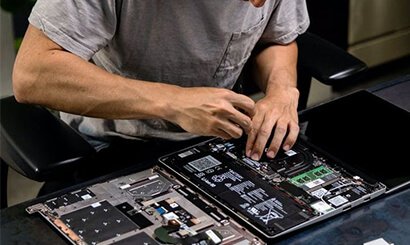
Founded in 2003, Computer Chiplevel Services (CCS) has been at the forefront of advanced repair solutions for over two decades. We’ve built a strong reputation in Bengaluru and beyond for our precision-driven chip-level repairs and end-to-end servicing of laptops, desktops, printers, routers, and more.
Get a free quote
Contact Info
Banashankari Stage II, Bengaluru, Karnataka - 560070
Software vs. Hardware Data Recovery: What’s the Difference?
12 Nov
Software vs. Hardware Data Recovery: What’s the Difference?
Introduction: When Data Disappears Losing important files—be it personal memories or critical business data—can be stressful and frustrating. Whether due to accidental deletion, corruption, or physical damage, the good news is: data recovery is often possible. But not all recovery methods are the same. Depending on how the data was lost, your recovery journey could involve either software-based or hardware-based solutions. In this blog, we break down the key differences between the two, so you know what to expect—and when to seek expert help.
What is Software Data Recovery?
Software data recovery involves using specialized programs to scan your storage device (like a hard drive, SSD, or memory card) and retrieve lost or deleted files. It works best when:
Files are accidentally deleted
The drive is formatted
The file system is corrupted
There are non-physical errors in the storage media
Software recovery tools analyze the device’s file system and search for data that hasn’t yet been overwritten. In many cases, files can be recovered fully if the device is still accessible and hasn’t been extensively used after the data loss.
⚠
Note: DIY tools can work—but using the wrong one or writing new data to the drive can make things worse.
It’s always safer to consult a professional if the data is important.
What is Hardware Data Recovery?
Hardware data recovery comes into play when there’s physical damage to the storage device. This could include:
Head crashes or motor failure in hard drives
Power surges or PCB (circuit board) damage
Broken or burnt chips
Devices that are completely unresponsive
In these cases, no software can access the data, because the drive’s internal components aren’t working. Recovery involves repairing or replacing faulty parts in a cleanroom environment, cloning the drive, and then using forensic techniques to extract the data safely.
How They Differ: A Quick Comparison
Feature
Software Recovery
Hardware Recovery
Cause of Failure
Logical errors (deletion, corruption)
Physical damage (hardware failure)
Tools Used
Data recovery software
Specialized hardware, cleanroom tools
Device Condition
Must be accessible by a computer
Often completely dead or unreadable
Cost & Complexity
Generally low to moderate
High complexity, higher cost
Success Rate
Depends on file system & overwrites
Depends on extent of physical damage
Which One Do You Need?
If your device still powers on, shows up on your system, or allows partial access—software recovery might be enough.
If your device is unrecognized, making clicking sounds, or not powering on at all, you likely need hardware recovery.
Trying to fix a physically damaged drive on your own can result in permanent data loss. That’s why it’s critical to get a proper diagnosis before taking action.
Conclusion: The Right Recovery Starts with the Right Diagnosis
Knowing the difference between software and hardware data recovery can save you time, money, and stress. The key is to act quickly, avoid DIY risks, and reach out to professionals who can guide you to the safest solution.
At Computer Chiplevel Services (CCS), we specialize in both software and hardware-level data recovery for hard drives, SSDs, memory cards, and encrypted devices. Whether it’s accidental deletion or serious device damage, our team has the tools and expertise to recover what matters most.
Lost your data? Don’t panic—Contact CCS today and let our experts help you get it back.